How I practice guitar with a virtual band on my iPhone
I type in the chords once, put on my Bluetooth headphones, and suddenly there are drums, bass, and pad playing along. Song Sketch and Practice Band turned solo practice into something I actually look forward to.
I've been playing guitar for about fifteen years. For most of that time, my practice routine looked the same: sit down, turn on the metronome, play scales or songs until my fingers remember them, turn off the metronome, put the guitar down. Effective, maybe. Enjoyable? Not really.
The problem isn't the metronome — it's the silence around it. A click track tells you whether you're in time, but it doesn't give you anything to play with. Playing along to a recording of the song is better, but the recording doesn't follow you. If you slow down, the recording doesn't slow down. If you want to repeat the chorus three times until you nail it, the recording moves on without you. Still, there is a lot to get out of the click before the click gets retired.
I built Song Sketch and Practice Band into TakeOne because I wanted the feeling of playing with other people without needing other people to be in the room. I wanted drums that follow me when I slow down. Bass that plays the root of the chord I'm holding. Pad that fills the space so it doesn't feel like I'm playing into nothing.
How Song Sketch works
Before TakeOne can build a band, it needs to know what song you're working on. Song Sketch is where you tell it. You type in the title, the key, the tempo, and the chord progression — broken down by section. Verse goes C G Am F. Chorus goes F C G C. That's it. No music theory degree required.
The interface is simple: a list of sections, each with a chord sequence and an energy setting. You can drag to reorder, tap to edit, and add as many sections as your song needs. Once it's saved, that song is in your library with its arrangement ready to go for any future practice session.
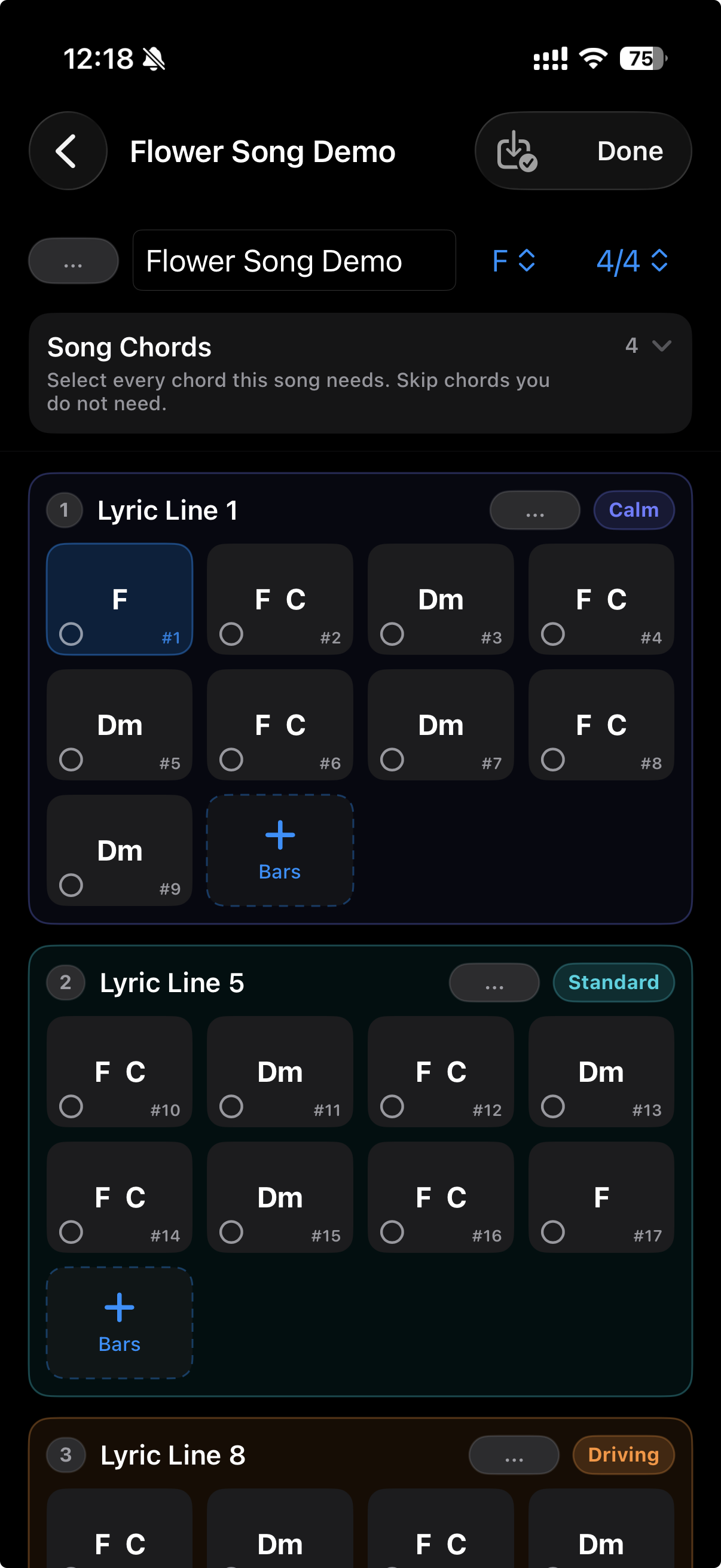
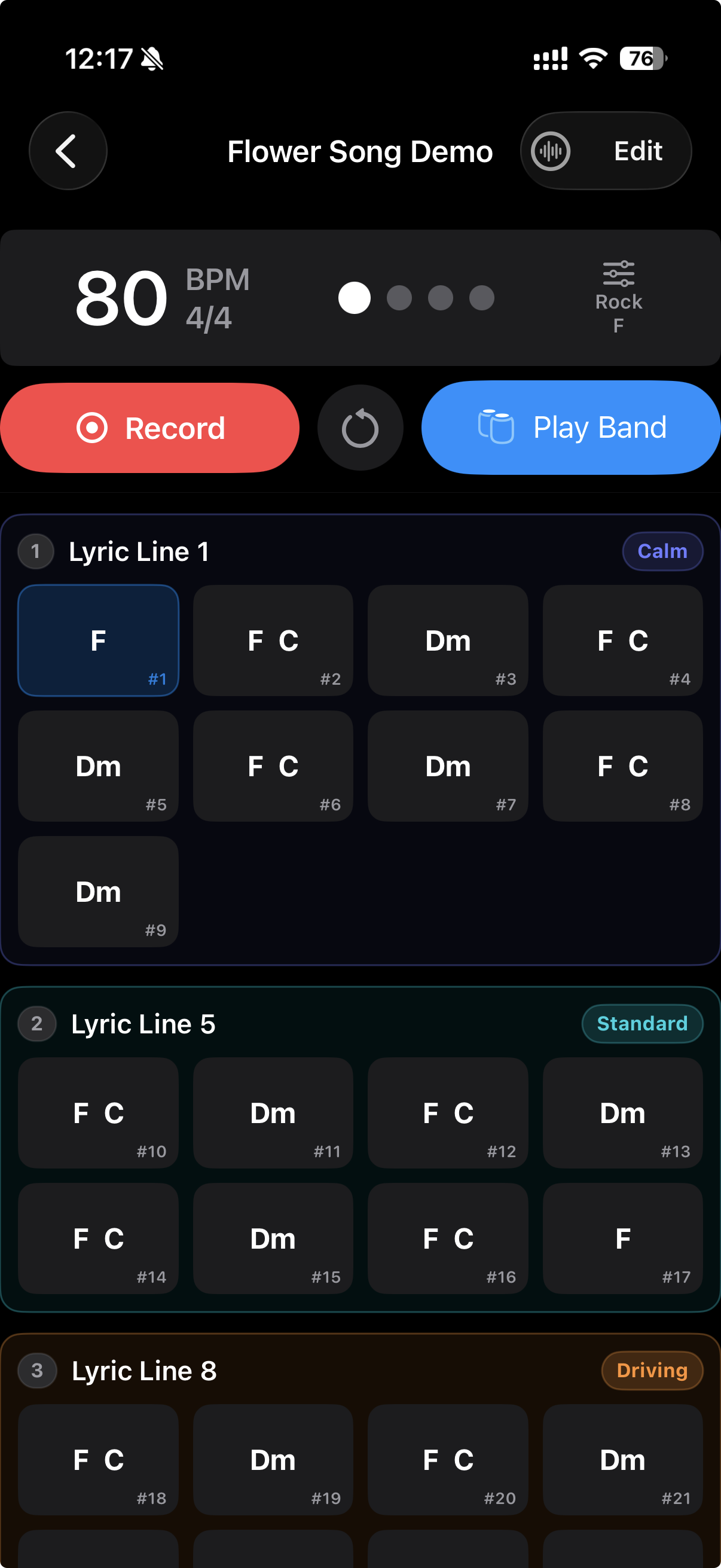
I mentioned "energy setting" above, and that deserves a little more explanation. Every section in Song Sketch has an Energy Map setting: Calm, Standard, or Driving. The drums get busier and the bass gets more active as the energy increases. A verse might be Calm — just hi-hat and simple bass root notes. A chorus might be Driving — full kick pattern, moving bass line, bigger pad voicings. The arrangement breathes with the song because you told it where the song breathes.
And then the band starts playing
This is the part that still surprises me. Once a song exists in Song Sketch, opening Practice with that song selected means the band is already there. Drums, bass, and pad — three voices that follow the chord progression and tempo you set. The drums keep time, the bass plays the root of each chord, the pad sustains the harmony. They all play through your Bluetooth headphones while the iPhone mic records your instrument.
It's not a recording. It's a live arrangement that follows you. If you pause, everything pauses. If you want to loop the bridge ten times, set the loop and play it again. The band stays with you — it doesn't move to the next section until you do.
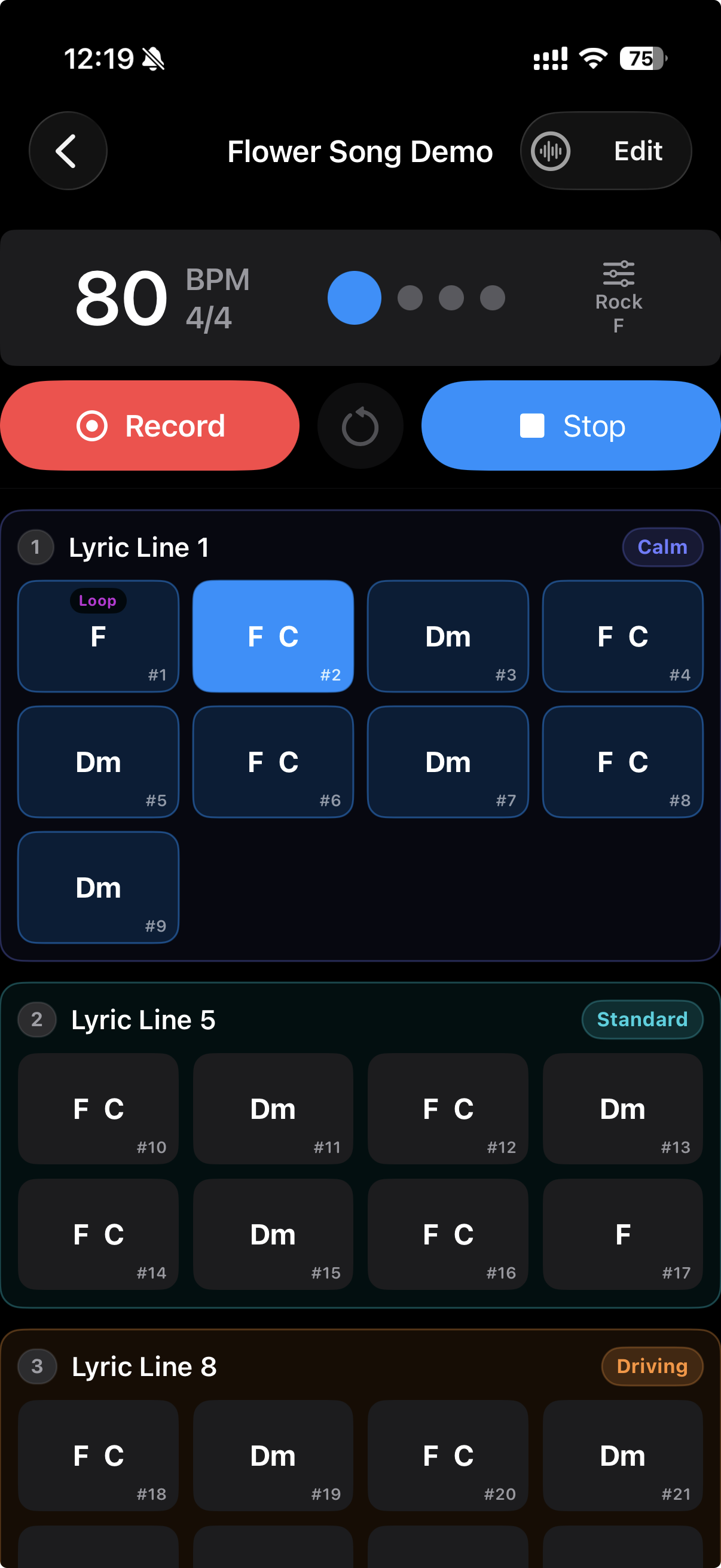
The most surprising effect for me has been how the band changes my playing. When the pad is playing sustained chords, I naturally hold my notes longer. When the drums are in a driving pattern, my right hand gets more aggressive. The band doesn't just accompany me — it shapes how I play. I'm not practicing at something anymore. I'm practicing with something.
A real practice session
Here's what it looks like on a typical night. I pick a song I've been working on — let's say it's a folk-rock thing in G. I open it in TakeOne. The Song Sketch already has the chords saved from last week. I put on my Bluetooth headphones, hit Practice, and the band starts: a steady kick-snare pattern, the bass playing G-D-Em-C through the verse, a warm pad underneath.
I play through the whole song once to warm up. The band keeps time, but it's not a metronome — it's music. The verse is Calm, so the drums are simple. When the chorus hits, the energy shifts to Standard and the kick gets more active. I can feel the arrangement working with me.
The second time through, I loop the pre-chorus. That transition has been giving me trouble. I set the loop markers around the two bars before the chorus, and the band repeats those four chords until my fingers find the right shape consistently. It takes maybe six repetitions. Without the loop feature, I'd have to stop, scroll back, find the spot, start again. With it, I just play the hard part until it's not hard anymore.
The third time through, I'm recording a take. The band's arrangement gives the recording a structure that a dry metronome track never could. When I listen back, it doesn't sound like "guitar + click" — it sounds like a band rehearsal with the guitar part isolated. That makes a huge difference for how useful the recording feels.
What this replaces
Before Song Sketch and Practice Band, my solo practice options were basically:
- Metronome alone — boring but effective. No harmonic context, no dynamic changes, no musical feedback.
- Backing track — sounds great but rigid. Can't loop a section, can't change tempo, can't adapt to how I'm playing tonight.
- Playing along with the record — fun but passive. The record doesn't know what I'm working on.
- Jam with friends — best option, but needs scheduling, commuting, and everyone to be free at the same time.
TakeOne's Practice Band isn't trying to replace jamming with friends — nothing can. But it sits in a gap that nothing else filled: a practice companion that actually plays music with you, adapts to what you need, and doesn't require anyone else to be available. It's the closest thing I've found to "open the app and there's a band waiting for you."
Who this is for
Song Sketch and Practice Band are for the same person TakeOne has always been for: someone who practices alone and wishes it felt less alone. If you've ever played along with a backing track and thought "I wish this track knew what I was doing," or if you've ever spent an entire practice session playing to a click and feeling like you got nothing musical out of it — this is for you.
Practice Band is part of TakeOne Pro. The free tier still gives you single-track recording with full Bluetooth latency compensation — and saving takes is free. But if you practice any instrument that works with chords — guitar, piano, ukulele, bass, even vocal warm-ups — Song Sketch and the band are worth trying. It turned my practice from something I did out of discipline into something I do because I want to hear the band play my song.