How I record three guitar parts on my iPhone without opening a DAW
A simple workflow for layering rhythm, solo, and vocals on an iPhone with Bluetooth headphones — no laptop needed.
I play guitar at night after the house is quiet. I sit on the floor, put on my Bluetooth headphones, and open TakeOne. I record a rhythm part. Then I layer a solo over it. Maybe add a vocal. Then I export the whole thing as one mix — three tracks perfectly aligned.
A year ago this would have meant: plugging an adapter into my iPhone, connecting wired headphones, opening GarageBand, creating a project, arming tracks, recording one by one, manually aligning if the timing was off. By the time I set everything up, the idea I had would be gone.
I built Layered Takes into TakeOne because I wanted that feeling of stacking parts without the production overhead. Not making a record — just hearing my practice come together.
What "layered" means in practice
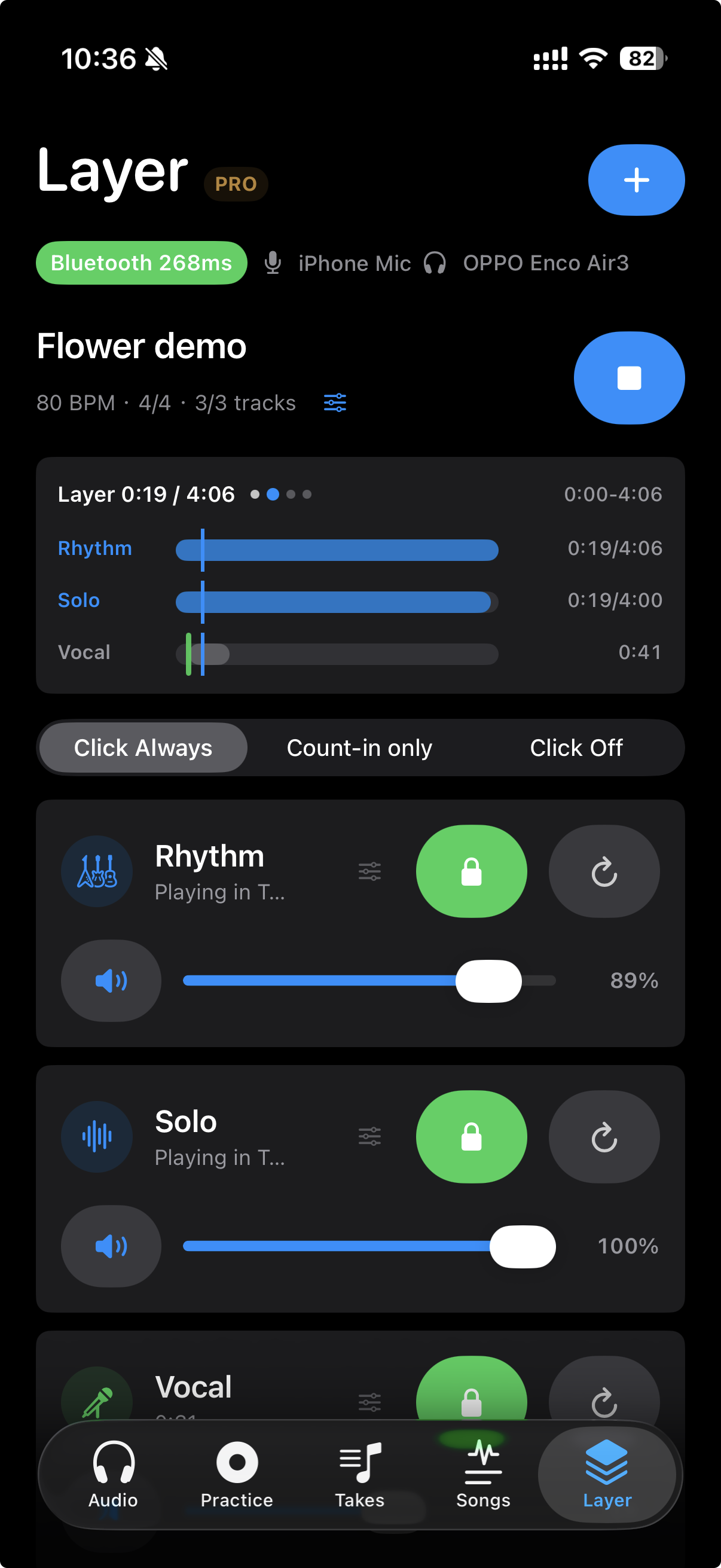
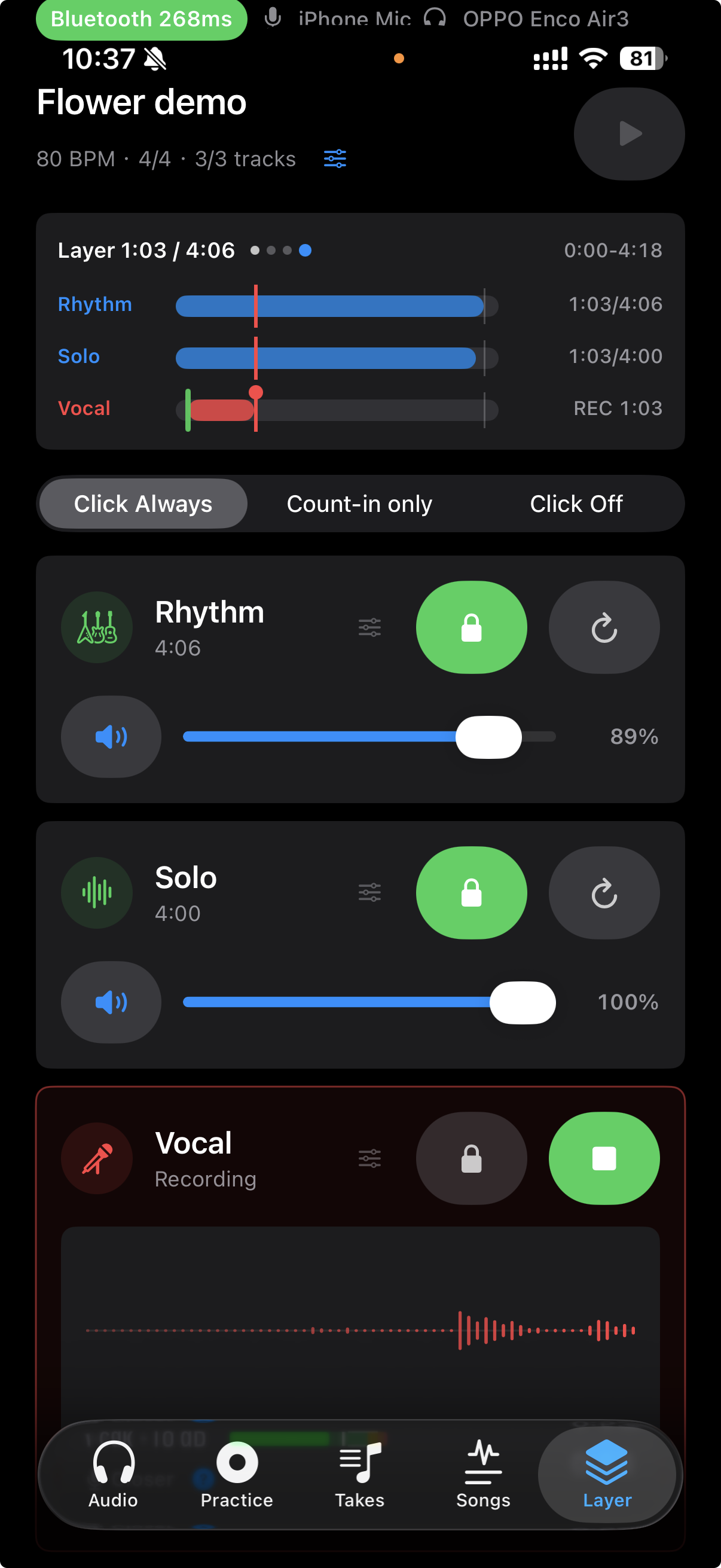
TakeOne's Layer mode is not a DAW. It's a fixed three-track recorder designed for practice sessions:
- Track 1 — Rhythm: your chord progression, the bed
- Track 2 — Solo: melody, solo, or a second guitar part
- Track 3 — Vocal: or whatever you want to put on top
The order matters. You record Track 1 while listening to the metronome. Then Track 2 while hearing Track 1 playback in your headphones. Then Track 3 while hearing both. Each track is automatically aligned by TakeOne's latency compensation — the same engine that measures your Bluetooth headphone delay applies that offset to each new recording.
When you're done, you hit Export Mix and get a single M4A file with all three tracks blended together. No editing. No mixing. No project to save. Just the take.
Why fixed three tracks
The most common question I get is "why not unlimited tracks?" The answer is that unlimited tracks turns Layer into a DAW. Once you give people 16 tracks, they start needing solo buttons, and sends, and EQ, and suddenly they're not practicing anymore.
Three tracks forces a decision. You get a rhythm bed, a solo part, and a vocal or extra layer. That's enough to make a practice take sound full without making the tool itself the center of attention. If you need more than that, GarageBand or Logic are right there. Layer is for the moment between "I have an idea" and "I want to hear it stacked."
The engineering challenge no one sees
Making three tracks align on an iPhone with Bluetooth headphones turned out to be harder than I expected. Not because the latency compensation is hard — that part was already solved. The hard part was keeping the recording timeline, the click, and the playback of previous tracks on the same clock.
The first version used separate audio objects — an AVAudioRecorder for the new track, a player for the click, another player for the existing track playback. They drifted. A 300ms offset turned into 400ms by the third track. The fix was to put everything into one AVAudioEngine: the input tap, the click buffer, the playback buffers, all scheduled on the same host-time timeline.
After that change, the drift dropped from hundreds of milliseconds to about 5ms. Users don't see this, but it's the difference between "this sounds right" and "something feels off."
What it actually sounds like
The best test I ran was recording all three tracks with the same Bluetooth route — my Bluetooth headphones, about 267ms of measured latency. Rhythm first, then solo, then vocal. Each track was recorded through the iPhone mic while I listened to the previous tracks through the same headphones.
When I played back all three together, the alignment was clean enough that no manual nudge was needed. Not "good enough for a demo" — genuinely aligned. The latency compensation does its job invisibly.
That's the feeling I wanted. Not "I made a recording" but "I played something, and when I listened back it sounded like the thing I played."
Who this is for
Layer is for the same person TakeOne has always been for: someone who practices with headphones and wants to hear what they actually played. But specifically, it's for the moment when a single take isn't enough — when you want to hear how your rhythm and your solo sound together, or when you want to stack a quick vocal over a guitar part.
It's not for production. It's for practice that feels like more than practice.